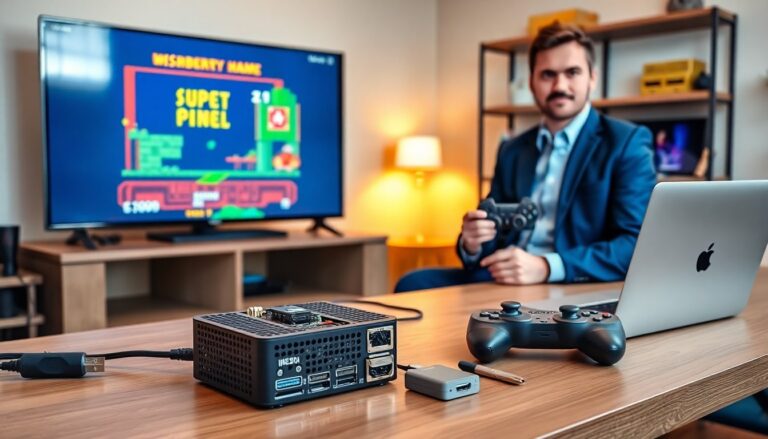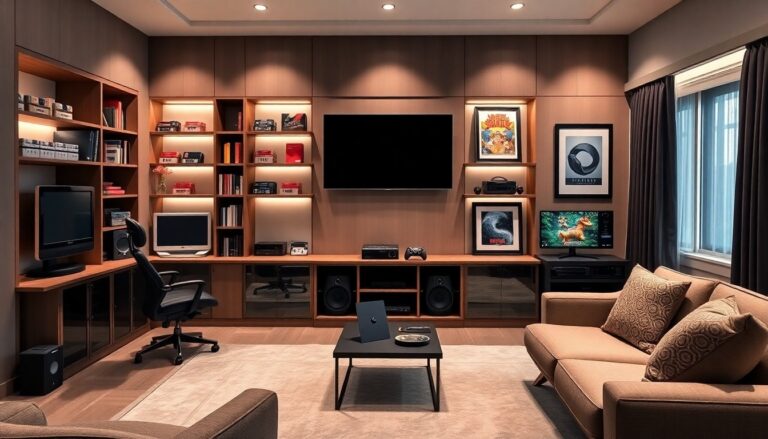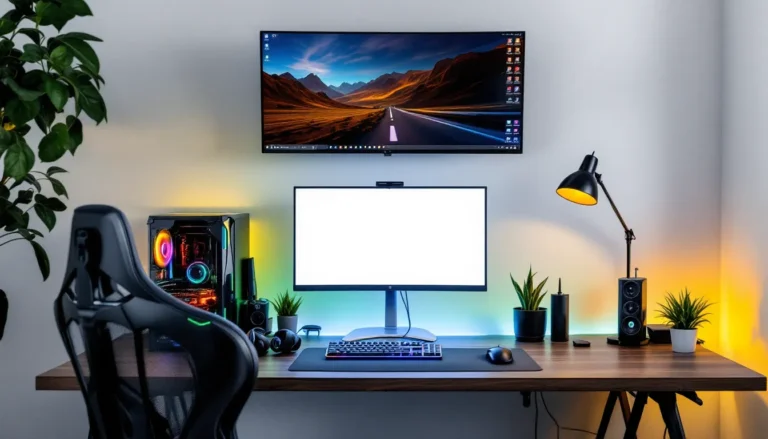


Limited square footage doesn’t mean settling for a subpar gaming experience. Whether you’re working with a cramped dorm room, a shared apartment bedroom, or a converted closet space, building an effective gaming setup in tight quarters requires strategic planning and smart gear choices. The challenge isn’t just fitting everything in, it’s creating a functional, comfortable space that doesn’t compromise performance during those clutch moments.
Small-room setups force gamers to make tough decisions about what stays and what goes, but they also push creative problem-solving to the forefront. By 2026, the market has responded with increasingly compact, multi-functional gaming gear designed specifically for space-constrained players. From wall-mounted solutions that reclaim floor space to wireless peripherals that eliminate cable spaghetti, the options have never been better for building a battle station that punches above its weight class.
Key Takeaways
- Strategic planning and accurate measurements prevent costly mistakes when building a gaming setup in small rooms, starting with a floor plan that identifies wall space, outlets, and architectural features.
- Gaming setup ideas for small rooms prioritize multi-functional furniture like corner desks, wall-mounted solutions, and monitor arms that maximize screen real estate without overwhelming limited floor space.
- Wireless peripherals and vertical storage systems eliminate cable clutter and reclaim floor space, transforming cramped quarters into functional gaming environments comparable to larger setups.
- Ergonomic investments in proper monitor positioning, compact gaming chairs with lumbar support, and strategic lighting reduce eye strain and fatigue during extended gaming sessions.
- Multi-platform gaming setups consolidate consoles, controllers, and displays through shared monitors, KVM switches, and unified cable management to accommodate PC, PlayStation, Xbox, and Switch in minimal square footage.
- Intentional curation of collectibles, wall art, and personalization maintains character without visual clutter, proving that small-room gaming constraints inspire more thoughtful, efficient battle stations than larger spaces.
Understanding Your Small Space Gaming Challenges
Before ordering that flashy RGB desk or triple monitor setup, taking accurate measurements prevents costly mistakes. Small rooms amplify every poor decision, an oversized desk turns the space into an obstacle course, while inadequate ventilation transforms it into a sauna during extended sessions.
The first step involves mapping out available wall space, identifying power outlet locations, and noting any architectural quirks like slanted ceilings or radiators. Grab a tape measure and record the dimensions of potential desk locations, paying attention to door swing radius and walkway clearance. Most ergonomic guidelines recommend at least 24 inches of depth for a functional gaming desk, but corner configurations can sometimes work with less.
Airflow deserves serious consideration in compact gaming rooms. PC components and consoles generate heat, and in a confined space without proper ventilation, thermal throttling can tank performance. Note the locations of windows, vents, and any natural air circulation patterns.
Measuring and Planning Your Gaming Zone
Start by sketching a basic floor plan, even if it’s just a rough drawing on graph paper. Mark the dimensions of each wall and note the locations of windows, doors, closets, and electrical outlets. This visualization helps identify dead zones that often go unused, like the space above a door frame or narrow wall segments that can’t fit traditional furniture.
Digital planning tools offer another approach. Free room planning software lets gamers drag and drop furniture to scale, testing different configurations without moving a single piece of gear. This process often reveals non-obvious solutions, like rotating a desk 45 degrees to create better sight lines to a wall-mounted TV.
Consider the “activity radius”, the space needed to actually use the setup comfortably. Gaming chairs need room to roll back, VR setups require clear floor space, and racing wheel rigs demand leg extension room. These functional requirements often consume more space than the furniture itself.
Identifying Essential vs. Nice-to-Have Gaming Gear
Small rooms force priority decisions. A competitive FPS player needs a high-refresh-rate monitor and responsive mouse pad more than RGB lighting strips. Meanwhile, a strategy game enthusiast might prioritize a larger single monitor over dual displays.
Essential gear typically includes:
- Primary display (monitor or TV)
- Input devices (keyboard/mouse or controller)
- Gaming platform (PC, console, or both)
- Seating that supports long sessions
- Basic audio solution (headset or speakers)
The “nice-to-have” category varies by gaming preferences but often includes secondary monitors, streaming equipment, dedicated microphones, elaborate lighting setups, and collectible displays. These elements can transform a functional setup into a personalized gaming haven, but they shouldn’t come at the expense of comfort or performance.
Be honest about actual usage patterns. That expensive streaming setup gathering dust wastes valuable space if streaming happens once a month. Similarly, multiple consoles might justify their footprint for collectors, but casual players often benefit more from focusing on a single platform and investing the saved space into ergonomic improvements.
Compact Gaming Desk Solutions That Maximize Performance
The desk anchors any gaming setup, and in small rooms, choosing the wrong size or configuration creates a domino effect of compromises. Standard gaming desks range from 48 to 72 inches wide, but compact spaces often demand creative alternatives that maintain functionality without overwhelming the room.
Corner Desks and L-Shaped Configurations
Corner desks exploit the most underutilized real estate in small rooms. An L-shaped configuration tucks neatly into a corner, providing two distinct work surfaces, one for the primary gaming monitor and PC, another for secondary tasks like assignments, work-from-home duties, or a console setup.
The Atlantic Gaming Desk and similar models typically measure around 51 inches on each leg of the L-shape, fitting comfortably in corners while offering 60-70 inches of total surface area when both sides are counted. This layout keeps everything within arm’s reach without requiring a massive footprint.
Many gamers find that multi-platform gaming configurations benefit from corner desk layouts, positioning a PC monitor on one side and a console display on the perpendicular surface. The corner itself becomes a natural cable management zone, hiding power strips and wire clusters behind the junction point.
One drawback: corner desks require commitment. Once positioned, they’re difficult to reconfigure without disrupting the entire room layout. Make sure the chosen corner actually works for long-term use before assembly.
Wall-Mounted and Floating Desk Options
Wall-mounted desks eliminate legs entirely, creating an illusion of more floor space while providing a stable gaming surface. These floating desks attach directly to wall studs using heavy-duty brackets, supporting typical gaming setups including monitors, PCs, and peripherals when properly installed.
The IKEA LACK wall shelf (installed with reinforcement brackets) and similar products work surprisingly well for lightweight gaming setups, though serious gaming rigs require purpose-built floating desks rated for higher weight limits. Most wall-mounted options support 50-100 pounds when anchored correctly into studs.
Floating desks pair exceptionally well with monitor arms, creating a completely suspended workstation that makes floor cleaning effortless and maximizes the perception of available space. The setup feels less cramped because sight lines continue underneath the desk rather than hitting a wall of legs and support structures.
Installation requires confidence with power tools and stud finders. Drywall anchors alone won’t cut it for gaming equipment, finding solid studs is non-negotiable. Renters should check lease agreements before drilling, though many landlords approve wall-mounted desks if professionally installed.
Foldable and Multi-Purpose Desk Alternatives
Foldable gaming desks aren’t just for LAN parties anymore. Modern designs incorporate cable management, monitor stands, and peripheral organization while maintaining the ability to collapse when not in use. The Atlantic Original Gaming Desk II, for instance, offers a full gaming surface with built-in storage that can be disassembled relatively quickly.
For maximum flexibility, some gamers opt for multi-purpose furniture like Murphy desks that fold into the wall or dining tables that double as gaming surfaces. These solutions work best for console gamers or those with gaming laptops rather than full desktop PCs, since setup and teardown time increases with component complexity.
Compact writing desks from office furniture lines often outperform “gaming” branded desks for small spaces. A simple 40-inch desk with a monitor arm and good cable management frequently serves gamers better than an oversized gaming desk crammed with features that go unused. The desk’s job is providing a stable surface at the right height, RGB lighting and cup holders are secondary at best.
Vertical Storage Strategies to Reclaim Floor Space
Small rooms punish horizontal storage. Every shelf, drawer unit, or storage bin occupying floor space shrinks the already limited movement area. The solution involves thinking vertically, using wall space from desk height to ceiling for storing controllers, headsets, games, and accessories.
Wall-Mounted Shelving and Pegboard Systems
Pegboards transform from garage tool storage into gaming organization with surprising effectiveness. A 2-foot by 4-foot pegboard section mounted above or beside a gaming desk holds controllers, headsets, cable organizers, and small peripherals using hooks and specialized pegboard accessories. The Home Depot and IKEA both carry pegboard systems designed for modern aesthetics rather than workshop vibes.
Floating shelves create display and storage opportunities without consuming floor space. A series of 24-inch floating shelves mounted at different heights provides spots for game collections, collectibles, and gear storage while maintaining clean sight lines. Staggering shelf heights adds visual interest and accommodates items of different sizes.
The key to effective wall storage involves keeping frequently-used items within easy reach while relegating occasional-use gear to higher shelves. Controllers for active rotation stay at eye level: older consoles or seasonal decorations occupy the upper reaches.
Many professional gamers and content creators showcase their gaming peripherals and collectibles using wall-mounted solutions that double as content backdrops. The storage serves a functional purpose while contributing to the room’s overall aesthetic.
Overhead Storage for Controllers and Peripherals
The space between the top of a monitor and the ceiling often goes completely unused. Overhead shelving units, suspended from ceiling joists or mounted high on walls, create storage for items needed occasionally but not daily, backup controllers, old headsets, game cases, or streaming equipment used for special occasions.
Controller wall mounts have evolved beyond simple hooks. Companies like Elevation Lab produce mounts specifically designed for PS5 and Xbox controllers that charge while displayed, combining storage with functionality. These mounts typically install with command strips for renters or screws for permanent installations.
Headset stands and wall hangers keep expensive audio gear protected while clearing desk space. Under-desk headset hooks offer another approach, suspending headphones beneath the desk surface where they remain accessible but invisible. The 3M Command Hooks work for lightweight headsets, while dedicated headset hangers support heavier models like the SteelSeries Arctis or HyperX Cloud series.
Cable management becomes part of overhead storage strategy. Running cables along wall edges up to overhead devices keeps them organized and out of foot traffic. Cable raceways or simple cable clips maintain the clean aesthetic while keeping everything functional.
Monitor Arms and VESA Mounting Solutions
Monitor arms might be the single most impactful upgrade for small gaming setups. They lift displays off the desk surface, reclaim valuable real estate, and provide ergonomic adjustability that fixed stands can’t match.
Benefits of Monitor Arms in Cramped Spaces
A typical monitor stand consumes 8-12 inches of desk depth, which represents a significant chunk of a compact gaming desk. Monitor arms eliminate that footprint entirely, clamping to the desk edge and suspending the display in the air. The recovered space accommodates keyboards, mousepads, or simply creates breathing room in an otherwise cramped setup.
Ergonomic benefits extend beyond space savings. Monitor arms allow height, tilt, and distance adjustments that prevent neck strain during long gaming sessions. Finding the perfect viewing angle takes seconds rather than stacking books under a fixed stand. Many gamers discover they’ve been looking down at their displays for years, creating neck tension that proper positioning eliminates.
Popular options include the Amazon Basics Monitor Arm (supporting displays up to 32 inches and 25 pounds) and the Ergotron LX (handling up to 34 inches and 25 pounds with smoother adjustment mechanisms). Both use VESA mounting standards (75x75mm or 100x100mm patterns) compatible with most modern gaming monitors.
According to research from technology reviewers at PCMag, proper monitor positioning reduces eye strain and improves gaming performance by maintaining consistent sight lines during fast-paced gameplay. The investment in a quality monitor arm typically pays dividends in comfort within the first week.
Dual and Triple Monitor Setups for Small Rooms
Multiple monitors in a small room sound counterintuitive, but proper mounting makes it viable. Dual monitor arms position two displays side-by-side or stacked vertically, creating an L-shape or horizontal span that maximizes screen real estate without expanding the desk footprint.
For competitive gaming, the primary display should center directly in front of the gaming position, with secondary monitors angled at 15-30 degrees to the side. This configuration keeps the main gaming screen in the optimal viewing position while providing peripheral displays for Discord, streaming software, or guides.
Stacked monitor configurations work well for streamers and content creators, placing the gaming display at eye level with a secondary monitor above for chat, OBS, or browser windows. The VIVO Dual Monitor Desk Mount and similar products support stacked arrangements, though ceiling height becomes a consideration, stacked 27-inch monitors require at least 42 inches of vertical clearance.
Triple monitor setups push the limits of small room viability. Unless playing sim racing or flight simulators that benefit from panoramic views, most small-room gamers find dual monitors or a single ultrawide (34-inch or 49-inch curved) more practical. Ultrawide displays provide similar horizontal screen space as dual monitors while maintaining a single, seamless image and simpler cable management.
Cable Management Techniques for a Clean Setup
Cable chaos visually shrinks a room and creates functional headaches. A tangle of power cables, USB connections, and display cables doesn’t just look messy, it makes troubleshooting harder and increases the risk of accidentally disconnecting something during a ranked match.
Under-Desk Cable Trays and Raceways
Under-desk cable management systems hide the worst of cable clutter while keeping everything accessible for changes and troubleshooting. Cable trays mount underneath the desk surface, creating a channel for power strips and excess cable length. The IKEA SIGNUM and similar products attach with simple screws or clips, running the length of the desk.
Power strips with mounting brackets elevate the surge protector off the floor, reducing dust accumulation and making it easier to access on/off switches. Mounting the power strip to the underside of the desk or the back edge keeps cables short and prevents the floor-level wire nest that plagues most gaming setups.
Cable raceways, plastic channels that attach to walls or desk edges, guide cables from the desk down to wall outlets or up to wall-mounted monitors. These channels come in various sizes and colors, with paintable options that blend into wall colors. J Channel raceways work particularly well for running cables along baseboards or up wall corners.
Velcro cable ties (not zip ties) bundle cables together without permanent commitment. Unlike zip ties that require cutting for changes, velcro straps adjust easily when adding or removing peripherals. Color-coded ties help identify which bundle contains power vs. USB vs. display cables during future modifications.
Wireless Peripherals to Minimize Clutter
Wireless technology has matured to the point where competitive gamers trust wireless mice and keyboards. The Logitech G Pro X Superlight and Razer Viper V2 Pro offer 1ms response times and multi-day battery life, eliminating the mouse cable that often drags across desks. For fast-paced shooters and MOBAs, the cable removal improves mouse movement freedom noticeably.
Wireless mechanical keyboards like the Keychron K8 Pro and Logitech G915 provide the same tactile response as wired models while clearing another cable from the desktop. Battery life varies from weeks to months depending on RGB usage and connectivity method (Bluetooth vs. 2.4GHz wireless).
Headset cables create particular annoyance during swivel-heavy gaming sessions. The SteelSeries Arctis Nova Pro Wireless and SteelSeries Arctis 7+ deliver audio quality that satisfies competitive players while eliminating the cable that catches on chair arms. Battery life remains the main consideration, most wireless gaming headsets require charging every 15-30 hours of use.
Wireless charging pads integrated into desk surfaces or mouse pads keep controllers and compatible devices topped off without adding more cables. The Razer Mouse Dock Pro and Logitech Powerplay mousepad charge compatible mice during use, effectively eliminating battery anxiety from wireless mouse ownership.
Smart Lighting Ideas That Enhance Your Gaming Atmosphere
Lighting shapes the mood and functionality of a gaming space, but in small rooms, every light fixture or lamp consumes precious space. The goal involves creating adequate task lighting for non-gaming activities while establishing atmosphere during gaming sessions, all without adding bulky floor lamps or table lights.
LED Strip Placement for Small Room Gaming
LED strips mounted behind monitors, along desk edges, or around the room perimeter create ambient lighting that reduces eye strain without occupying any floor or desk space. The bias lighting effect, illuminating the wall behind a monitor, helps eyes adjust between the bright display and darker surroundings, reducing fatigue during extended sessions.
Govee and Philips Hue offer gaming-focused LED strips with reactive modes that respond to on-screen content, pulsing with explosions or changing colors based on game state. The immersion factor appeals to some gamers, though others find reactive lighting distracting during competitive play. Most strips include static color modes for those preferring consistent ambiance.
Installation typically involves adhesive backing that sticks to clean surfaces. Running strips along the back edge of a desk creates an underglow effect, while mounting them along the wall-ceiling junction provides room-wide ambient lighting. USB-powered strips can draw power from PC USB ports or monitors with USB hubs, eliminating the need for additional wall outlets.
Color temperature matters for functionality. Cool white (5000K-6500K) works well for productivity or assignments sessions, while warm white (2700K-3000K) creates a relaxed atmosphere. RGB strips offer the full spectrum, allowing customization based on activity and mood.
Space-Saving Desk Lamps and Ambient Lighting
When task lighting is essential, clip-on desk lamps or magnetic lights provide illumination without consuming desk space. The BenQ ScreenBar series mounts directly to the top of monitors, illuminating the desk surface while taking up zero desk footprint. These monitor light bars have become increasingly popular in gaming setups for their space efficiency and asymmetric lighting design that prevents screen glare.
For gamers who prefer traditional lamps, swing-arm designs mount to desk edges or walls, extending when needed and tucking away when not in use. The IKEA TERTIAL and similar swing-arm lamps provide directed light without permanent desk occupation.
Smart bulbs in existing ceiling fixtures offer another approach. Connecting room lights to systems like Philips Hue or LIFX allows color and brightness control from a phone or voice commands. Dimming overhead lights during gaming creates atmosphere, while brightening them for cleaning or daytime use requires no physical switches.
Choosing the Right Gaming Chair for Limited Space
Gaming chairs marketed with racing stripes and oversized proportions often overwhelm small rooms. The right seating for a compact setup prioritizes comfort and appropriate sizing over aggressive styling.
Compact Gaming Chairs vs. Office Chairs
Most “gaming chairs” measure 24-28 inches wide, but compact models designed for smaller frames and spaces measure 20-24 inches. The Secretlab TITAN Evo 2022 Small and Razer Iskur X offer full gaming chair features, lumbar support, adjustable armrests, recline functions, in narrower profiles suited to tighter spaces.
But, many gamers find that ergonomic office chairs outperform gaming chairs for long-session comfort. The Herman Miller Aeron (Size A) and Steelcase Series 1 provide superior back support and adjustability without the racing seat aesthetic. These chairs typically have smaller footprints than gaming chairs while offering better long-term ergonomics.
According to ergonomic studies cited by tech sites including How-To Geek, proper lumbar support and seat depth adjustment matter more for gaming performance than aesthetic features. Hours-long sessions in poorly designed seating lead to back pain and reduced focus during crucial moments.
Mesh-back chairs work particularly well in small rooms with limited ventilation. The breathable backing prevents the overheating common with leather or PU leather gaming chairs in confined spaces. Models like the Autonomous ErgoChair Pro and Sihoo M18 provide mesh construction at mid-range prices.
Floor Cushions and Bean Bags for Console Gamers
Console gaming often works better from floor-level seating, especially when the TV is wall-mounted at appropriate viewing height. Floor cushions and gaming-specific bean bags like the Yogibo Max or Big Joe Dorm Chair provide comfortable, moveable seating that can be pushed aside when not in use.
Japanese-style floor gaming chairs with back support but no legs offer a middle ground. These chairs sit directly on the floor with adjustable backrest angles, providing lumbar support while maintaining a low profile. When gaming sessions end, they fold or stack against walls.
The main advantage of floor seating in small spaces: flexibility. Unlike a permanent desk chair that claims its territory 24/7, floor cushions and bean bags can be relocated instantly, transforming a gaming space into a general-purpose room between sessions. This adaptability proves valuable in dorm rooms or studio apartments where every square foot serves multiple functions.
Audio Solutions That Don’t Dominate Your Room
Quality audio dramatically enhances gaming immersion, but traditional speaker setups consume desk space and potentially annoy neighbors or roommates in close quarters. Small room audio requires balancing sound quality with spatial and social constraints.
Soundbars and Compact Speaker Systems
Soundbars designed for TVs adapt well to gaming setups, providing front-facing audio that delivers better positional information than laptop or monitor speakers. The Creative Stage V2 and Razer Leviathan V2 measure around 20 inches wide, fitting under most monitors while supporting virtual surround sound processing.
These compact soundbars won’t match dedicated 2.1 or 5.1 speaker systems for audio quality, but they vastly outperform built-in display speakers for hearing footsteps in competitive shooters or enjoying cinematic game audio. Most include Bluetooth connectivity for music playback during non-gaming hours.
For gamers wanting more bass response without adding a separate subwoofer, all-in-one soundbars with integrated subwoofers like the JBL Bar 2.1 Deep Bass compress the audio system into a single unit. The bass response won’t satisfy audiophiles, but it provides enough low-end punch for explosions and engine rumbles.
Bookshelf speaker setups represent the next step up in quality. Compact powered speakers like the Edifier R1280T or Audioengine A2+ measure roughly 6 inches wide and 8 inches tall, fitting on shelves or desk corners. Paired with a small subwoofer under the desk (if space and noise concerns allow), these systems deliver audio quality that approaches home theater territory.
Gaming Headsets as Space-Efficient Alternatives
Headsets eliminate speaker footprint entirely while providing superior positional audio for competitive gaming. Modern gaming headsets support virtual surround processing that helps players pinpoint enemy locations, crucial for competitive shooters, battle royales, and tactical games.
The SteelSeries Arctis Nova Pro, HyperX Cloud Alpha, and Logitech G Pro X deliver audio quality that rivals entry-level speakers while keeping sound contained. This privacy matters in shared living situations where blasting gunfire at 2 AM creates friction with roommates or neighbors.
Open-back headphones like the Philips SHP9500 or Sennheiser HD 560S offer wider soundstages with more natural audio reproduction, though they leak sound bidirectionally, people nearby hear what the gamer hears. Closed-back designs like the Beyerdynamic DT 770 Pro or Audio-Technica ATH-M50x isolate sound, maintaining privacy in shared spaces.
Professional esports players tracked by ProSettings overwhelmingly prefer headsets for competitive play, citing better audio positioning and consistent sound regardless of room acoustics. While speakers create a more social gaming experience, headsets optimize for individual performance in space-constrained environments.
Multi-Platform Gaming Setups in Minimal Square Footage
Gaming across multiple platforms, PC, PlayStation, Xbox, Switch, typically means accumulating consoles, controllers, and display solutions that quickly overwhelm small spaces. Thoughtful integration strategies allow multi-platform gaming without requiring a dedicated room per system.
Combining PC and Console Gaming in One Space
Shared peripherals reduce clutter in mixed PC/console setups. Many modern gaming monitors support multiple inputs (HDMI, DisplayPort, USB-C), allowing quick switching between a connected PC and consoles. A 27-inch 1440p 144Hz monitor serves as an excellent display for both PC gaming and current-gen consoles, with input switching taking seconds via monitor controls or remote.
KVM switches let gamers share keyboards and mice between PC and consoles that support mouse input. While most console games work best with controllers, strategy games, MMOs, and shooters often support keyboard/mouse when available. The setup reduces the number of peripherals cluttering the desk.
Console placement under monitors or wall-mounted using dedicated brackets keeps them accessible while clearing desk space. Wall mounts designed for PS5, Xbox Series X, and Switch secure consoles to walls beside or behind monitors, turning them into part of the display arrangement rather than separate desk occupants.
Controllers benefit from dedicated storage solutions. Multi-controller charging docks like the PowerA charging station or Razer Universal Quick Charging Stand keep controllers charged and organized in a single compact footprint. These stations typically support 2-4 controllers simultaneously while occupying less space than controllers scattered across surfaces.
TV and Monitor Sharing Solutions
Wall-mounted TVs with articulating arms serve dual purposes in small gaming rooms. During desk gaming sessions, the TV swivels toward the gaming chair for console play: when entertaining friends, it swivels toward the room center. This flexibility eliminates the need for separate gaming and entertainment displays.
HDMI switches allow multiple consoles and PCs to share a single display without constantly swapping cables. Four or eight-port HDMI switches with remote controls let gamers toggle between PlayStation, Xbox, PC, and Switch from the couch or gaming chair. The switches range from basic models at $20 to higher-end units supporting 4K 120Hz signals for current-gen console gaming.
For gamers using laptops or compact mini PCs as their primary platform, docking stations simplify connections. A single USB-C or Thunderbolt cable connects the portable device to monitors, peripherals, and network while maintaining a clean desktop. When the laptop leaves for work or school, the setup remains intact, ready to connect another device.
Creative Decor and Personalization Without Overcrowding
Personalizing a gaming space makes it feel like a custom battle station rather than a temporary setup, but excessive decoration quickly clutters a small room. Strategic choices in wall art, collectibles, and lighting create character without consuming valuable space.
Minimalist Gaming Posters and Wall Art
Wall art occupies vertical space that would otherwise go unused, adding personality without footprint. Gaming posters, canvas prints, and framed artwork establish theme and color palette while keeping floors and surfaces clear. Sites like Displate offer metal posters that mount without frames, further reducing visual bulk.
Minimalist art styles work particularly well in small spaces. Instead of busy, detailed prints that create visual noise, clean designs with limited color palettes maintain breathing room. Single-panel art pieces in the 18×24 to 24×36 inch range provide impact without overwhelming walls, while multi-panel sets can span larger walls when arranged with spacing.
LED neon signs, either glass tube or LED flex versions, create focal points that double as functional lighting. Gaming-themed neon signs featuring controller outlines, popular game logos, or streaming indicators add character while contributing to the room’s lighting scheme. Wall-mounted behind monitors or on accent walls, they create visual interest visible on camera for streamers.
Gallery walls arranged above desks or on adjacent walls tell stories through combinations of art, memorabilia, and photos. The key to successful gallery walls in small spaces involves consistent framing or matting to maintain visual cohesion. Mismatched frames create chaos in tight quarters, while unified presentation feels curated.
Collectible Display Cases That Save Space
Collectors face particular challenges in small gaming rooms. Amiibo, Funko Pops, game boxes, and limited-edition items deserve display space but can’t be allowed to overtake functional areas. Wall-mounted display cases and floating shelves with glass doors protect collectibles while maintaining organization.
The IKEA DETOLF glass-door cabinet and similar vertical display cases maximize vertical space while maintaining a small footprint (roughly 16×16 inches). These tower cases showcase collections from floor to eye level without spreading across multiple surfaces. Internal LED strips illuminate the contents, turning the display case into both storage and accent lighting.
Shallow floating shelves (4-6 inches deep) mounted above monitors or along unused walls create display space for smaller collectibles without protruding far into the room. Spacing shelves at different heights accommodates items of varying sizes while maintaining clean lines.
Rotating displays prevent stagnation while managing clutter. Instead of displaying every collectible simultaneously, curated selections showcased for weeks or months keep the space fresh. Storage boxes under beds or in closets house the off-display items, ready for rotation during seasonal changes or when new items join the collection.
Anyone looking to balance modern and classic gaming aesthetics can find inspiration in established retro gaming guides that demonstrate effective ways to showcase vintage hardware without creating museum clutter. The principles apply whether displaying classic cartridges or current-gen collector’s editions, curation matters more than quantity in limited spaces.
Conclusion
Building a capable gaming setup in a small room isn’t about compromising, it’s about optimization. Every equipment choice carries more weight when square footage is limited, pushing gamers toward purposeful decisions rather than impulse purchases. The battle stations that work best in confined spaces share common traits: vertical storage that reclaims floor space, multi-functional furniture that serves multiple roles, and careful curation that separates essential gear from nice-to-have accessories.
The 2026 gaming market recognizes small-space constraints with increasingly compact, powerful options across every category. From mini-ITX gaming PCs that deliver desktop performance in shoebox cases to wireless peripherals that eliminate cable management headaches, manufacturers have responded to urban living realities. Wall-mounted solutions, monitor arms, and vertical storage systems transform what seemed like impossibly cramped quarters into functional gaming spaces that rival setups in larger rooms.
Small gaming rooms force creativity that often results in more thoughtful, efficient setups than sprawling spaces that invite clutter. The constraints become advantages when approached strategically, every item earns its place, cable management stays tight by necessity, and the resulting battle station reflects intentional choices rather than accumulated excess. Whether working with a dorm room, apartment bedroom, or converted closet, the space limitations don’t determine the quality of the gaming experience. The planning, gear selection, and execution do.