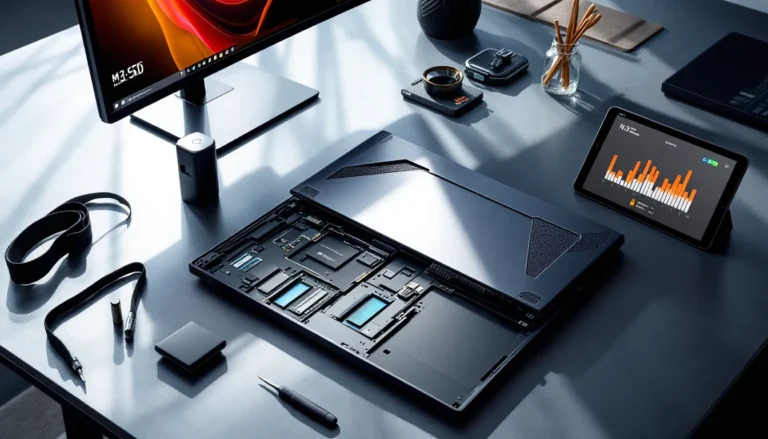


The MSI Gaming GP73 with GTX 1070 was a serious contender when it launched, packing desktop-class GPU power into a chassis that promised no-compromise gaming. Now, in 2026, the used market is flooded with these machines at tempting prices. But can a laptop built around Pascal architecture keep up with modern AAA releases and competitive esports demands?
This isn’t a nostalgia piece. The GP73 remains functionally capable for plenty of gaming scenarios, but its value depends entirely on what you’re playing, your performance expectations, and what you’re paying. Some gamers will find a legitimate bargain here. Others will hit performance walls sooner than expected. Let’s dig into the specifics.
Key Takeaways
- The MSI Gaming GP73 with GTX 1070 excels at competitive esports titles like Valorant and CS2 (180-220fps), making it a solid budget option for esports players despite its age.
- Modern AAA games from 2025-2026 require medium settings on the GTX 1070 for 60fps, with ray tracing essentially unusable due to Pascal architecture limitations.
- The i7-8750H variant is the configuration to prioritize when buying used, delivering 30-40% better minimum framerates than the i7-7700HQ in CPU-intensive games.
- At $400-500 for a quality used unit, the MSI GP73 offers better value than new budget gaming laptops costing $700-900, though maintenance like thermal repasting is necessary.
- The 17.3-inch 120Hz display and SteelSeries keyboard make the GP73 better for gaming enjoyment than technical benchmarks suggest, but expect 45-60 minutes of battery life under load.
- Upgradeable components like RAM, storage, and Wi-Fi cards extend the laptop’s usability, but the soldered GPU and CPU represent a hard performance ceiling for future gaming demands.
What Makes the MSI GP73 Stand Out Among Gaming Laptops?
The GP73 wasn’t designed to be the thinnest or lightest gaming laptop. MSI went for function over form, prioritizing thermal headroom and upgradeability. The result is a machine that feels substantial, some would say bulky, but that heft came with benefits.
Design and Build Quality
The GP73 features a plastic chassis with brushed metal accents and the classic MSI dragon logo on the lid. Build quality is solid if not premium. There’s minimal flex in the keyboard deck, and the hinge mechanism has held up well for most units still in circulation.
The laptop measures roughly 16.5 x 10.9 x 1.1 inches and weighs around 6 pounds. It’s not a machine you’ll casually toss in a backpack for daily commutes, but for LAN parties or gaming setups that move between rooms, it’s manageable. The aggressive gamer aesthetic with red accents won’t appeal to everyone, but it’s understated compared to some of the RGB-loaded monsters from the same era.
Display Performance and Visual Experience
Most GP73 configurations shipped with a 17.3-inch 1080p IPS panel running at either 60Hz or 120Hz, depending on the specific SKU. The 120Hz variant is the one to hunt for if you’re buying used, it makes a tangible difference in fast-paced shooters and MOBAs.
Color accuracy sits around 60-65% sRGB, which is acceptable for gaming but falls short for content creation work. Brightness peaks at approximately 300 nits, enough for indoor gaming but struggles in bright environments. Response times are decent for an IPS panel from that generation, though competitive players will notice ghosting compared to modern 240Hz+ displays.
The bezels are thick by 2026 standards, but screen real estate at 17.3 inches provides an immersive experience that smaller ultraportables can’t match.
GTX 1070 Performance Breakdown: Gaming in 2026
The GTX 1070 was Nvidia’s sweet spot for high-refresh 1080p gaming when it launched. Eight years later, Pascal architecture shows its age, but the 8GB VRAM buffer and 1920 CUDA cores still deliver playable framerates in the right scenarios.
AAA Gaming Performance at 1080p
Modern AAA titles from 2025-2026 push the GTX 1070 hard. Expect to dial settings down to medium or medium-high to maintain 60fps in demanding games. Titles like Cyberpunk 2077 with path tracing? Forget it. But rasterized rendering at medium settings can hit 45-55fps, playable but not smooth.
Games optimized for older hardware fare better. Elden Ring runs at high settings with occasional dips into the 50s during particle-heavy boss fights. Resident Evil 4 Remake maintains 55-65fps on medium-high. The key limitation is ray tracing support, Pascal technically has it via driver updates, but performance tanks so hard it’s unusable.
The 8GB VRAM is both a blessing and a bottleneck. It’s enough to prevent most texture pop-in at 1080p, but games released in late 2025 that demand 10GB+ will force you into lower texture quality settings.
Esports and Competitive Gaming Capabilities
This is where the GTX 1070 still shines. Competitive titles prioritize framerate over visual fidelity, and the GP73 delivers.
- CS2 (Counter-Strike 2): 180-220fps on medium settings, easily maxing out a 120Hz panel
- Valorant: Consistent 200+ fps on high settings
- Apex Legends: 100-130fps on medium, enough for smooth gameplay
- League of Legends / Dota 2: Maxed settings at 144fps+ without breaking a sweat
The bottleneck shifts to the display refresh rate rather than GPU horsepower. If you scored a 120Hz GP73 variant, you’re golden for competitive gaming. The 60Hz models will leave performance on the table.
How It Handles Modern Titles Released in 2025-2026
Recent releases are a mixed bag. Games built on Unreal Engine 5 with Lumen and Nanite push the GTX 1070 beyond comfortable territory. Senua’s Saga: Hellblade II barely scrapes 30fps on low settings. Avatar: Frontiers of Pandora requires significant visual compromises.
But not every 2025-2026 release is a hardware torture test. Baldur’s Gate 3 runs surprisingly well at medium-high (55-70fps). Street Fighter 6 maintains 60fps locked on high. Indie darlings and AA titles generally have zero issues.
The reality: you’re playing new releases at medium settings with occasional concessions, or you’re sticking to esports titles and games from 2018-2023 that still look great maxed out.
Processor and Memory Configuration
The GP73 shipped with various Intel 7th and 8th gen processors, most commonly the Core i7-7700HQ or i7-8750H. There’s a significant performance gap between these two.
CPU Performance for Gaming and Multitasking
The i7-7700HQ is a quad-core chip with Hyper-Threading, boosting to 3.8GHz. It handles most games competently, but CPU-bound titles expose its limitations. Total War: Warhammer III during large battles sees framerate dips into the 40s. Streaming to Twitch while gaming introduces noticeable stuttering.
The i7-8750H is the configuration to target. Six cores and twelve threads provide substantially better 1% lows in modern games. According to testing from laptop hardware reviewers, the 8750H delivers 30-40% better minimum framerates in CPU-intensive scenarios compared to the 7700HQ.
For multitasking, Discord, browser tabs, Spotify, game capture, the 8750H maintains smoother performance. The 7700HQ starts showing thread contention when you pile on background applications.
RAM and Storage Options
Most GP73 units came with 16GB DDR4-2400 in dual-channel configuration, which remains adequate for gaming in 2026. You can upgrade to 32GB if you’re doing content creation alongside gaming, but pure gaming scenarios rarely benefit from more than 16GB.
Storage configurations varied wildly. Early models paired a 128GB or 256GB SATA SSD with a 1TB HDD. Later units shipped with NVMe drives. If you’re buying used, verify the storage setup, a SATA SSD boot drive is functional but noticeably slower loading games compared to NVMe.
The good news: both RAM slots and storage bays are user-accessible. Upgrading to a 1TB NVMe drive costs under $80 in 2026 and transforms load times.
Cooling System and Thermal Management
MSI equipped the GP73 with Cooler Boost 5 technology, dual fans with multiple heat pipes connecting the CPU and GPU. On paper, it sounds robust. In practice, thermal performance depends heavily on maintenance.
Out of the box, the cooling system keeps the GTX 1070 in the 75-80°C range under sustained gaming loads, which is acceptable. The CPU runs hotter, hitting 85-90°C during intensive sessions. Repasting with quality thermal compound can drop temps by 8-12°C, something most used units desperately need by now.
Fan noise is aggressive. Under load, the GP73 sounds like a small jet engine. You’re wearing a headset anyway, right? If not, the fan whine becomes fatiguing during long sessions. Fan curves are adjustable via MSI Dragon Center software, but quieter profiles sacrifice thermal headroom.
Dust accumulation is the killer. If you’re buying a used GP73, budget time for disassembly and cleaning. Clogged heatsinks push temps into thermal throttling territory (95°C+), tanking performance. Fresh thermal paste, cleaned fans, and cleared vents restore the system to baseline performance.
The chassis exhausts heat primarily through rear and side vents. Keyboard temps stay reasonable, slightly warm but not uncomfortable. The area above the function keys gets toasty, but palm rests remain cool.
Battery Life and Portability Considerations
Let’s be blunt: the GP73 is a desktop replacement, not a portable gaming solution. The 51Wh battery powresses out maybe 2-3 hours of light web browsing with the GPU disabled and brightness at 50%. Fire up a game, and you’re looking at 45-60 minutes before the low battery warning appears.
The 230W power brick is a necessary companion. It’s hefty, close to 2 pounds, and the combined weight of laptop plus charger pushes 8 pounds total. This isn’t a machine for coffee shop gaming or long flights.
Battery degradation on used units is a real concern. A GP73 from 2018-2019 that’s seen regular use probably holds 60-70% of its original capacity at best. Some sellers replace batteries before listing, but verify this before purchasing. A degraded battery might only give you 20-30 minutes of gaming, essentially making it a tethered desktop.
Portability verdict: acceptable for moving between rooms or occasional LAN events. Not viable for daily commuting or untethered gaming sessions.
Keyboard, Trackpad, and User Experience
The SteelSeries-designed keyboard on the GP73 is a genuine highlight. Key travel sits around 1.8mm with tactile feedback that’s satisfying for both gaming and typing. The layout includes a full numpad, which some users love and others find cramped.
RGB backlighting is configurable per-key on higher-end SKUs, zoned on base models. The lighting is bright enough for dark rooms without being obnoxiously vibrant. Customization runs through SteelSeries Engine software, which is… fine. Not amazing, not terrible.
Key response is fast enough for competitive play. There’s no fancy anti-ghosting marketing claims, but in practice, NKRO (n-key rollover) works as expected. After years of use, some units develop key wobble or inconsistent actuation, check this if buying used.
The trackpad is functional but unremarkable. It’s a 4 x 3-inch Synaptics unit with decent palm rejection. Texture is smooth plastic that tracks accurately for desktop navigation. For gaming? You’re using a mouse anyway. The dedicated left and right buttons are preferable to clickpad designs for precise inputs.
Overall user experience leans positive. The keyboard alone elevates the GP73 above budget competitors from the same generation. After extended gaming sessions, hand and wrist fatigue is minimal thanks to the slightly recessed keyboard deck angle.
Connectivity and Port Selection
Port selection on the GP73 is generous, a stark contrast to modern ultrabooks that sacrifice everything for thinness.
Left side:
- 2x USB 3.1 Gen 1 Type-A
- Headphone jack
- Microphone jack
Right side:
- USB 3.1 Gen 1 Type-A
- SD card reader
Rear:
- Mini DisplayPort 1.2
- HDMI 2.0
- USB 3.1 Gen 1 Type-C
- Gigabit Ethernet (RJ-45)
- Power connector
Notable strengths: Three USB-A ports mean peripherals (mouse, keyboard, external drive) connect without a hub. The rear-positioned display outputs and Ethernet keep cables out of the way during gaming. HDMI 2.0 supports 4K at 60Hz, though the GTX 1070 will struggle to drive demanding games at that resolution.
Weaknesses: The USB-C port lacks Thunderbolt 3 support, limiting external GPU options and high-speed storage capabilities. No Thunderbolt means no modern docking station compatibility. Wi-Fi is typically Intel Dual Band Wireless-AC 3168 or similar, 802.11ac, not Wi-Fi 6. Speeds max out around 433Mbps in ideal conditions, adequate but not future-proof.
The SD card reader is full-size, useful for photographers or content creators who need quick media transfers. Bluetooth 4.2 handles wireless peripherals without issues, though latency-sensitive gamers should stick with wired connections.
For gaming laptop setups, the GP73’s port array supports multi-monitor configurations, wired peripherals, and reliable Ethernet connections without dongles or adapters.
Upgrade Potential and Future-Proofing
One of the GP73’s redeeming qualities is user-accessible upgrade paths. MSI didn’t solder everything to the motherboard, giving users options to extend the laptop’s useful life.
Easily upgradeable components:
-
RAM: Two SODIMM slots support up to 32GB DDR4-2400. Upgrading from 16GB to 32GB costs $60-80 and benefits content creation workflows, though gaming gains are minimal.
-
Storage: M.2 NVMe slot plus a 2.5-inch SATA bay. You can run a fast NVMe boot drive alongside a massive SATA SSD for game libraries. A 2TB NVMe drive costs under $120 in 2026.
-
Wi-Fi card: The M.2 wireless module is replaceable. Upgrading to an Intel AX200 Wi-Fi 6 card costs $20-30 and delivers better latency and bandwidth on compatible routers.
Not upgradeable:
- CPU and GPU: Both are soldered. You’re stuck with whatever configuration you buy. This is the hard ceiling on performance.
Thermal upgrades: Repasting with Thermal Grizzly Kryonaut or similar high-performance paste is practically mandatory on used units. Budget $15 for paste and an hour of your time. Some enthusiasts replace stock thermal pads with aftermarket options for another 3-5°C drop.
Battery replacement: Third-party batteries are available for $50-80, though quality varies. OEM batteries are harder to source but worth the premium for reliability.
Future-proofing verdict: The GP73 can be optimized within its hardware limits, but the GTX 1070 and 7th/8th gen Intel CPUs have a defined performance ceiling. Upgrades extend usability 1-2 years, not five.
Price-to-Performance Value in the Used Market
Pricing for used GP73 units varies based on configuration and condition. As of early 2026, expect:
- $300-400: i7-7700HQ, GTX 1070, 16GB RAM, mixed storage. Often shows wear, may need thermal maintenance.
- $450-550: i7-8750H, GTX 1070, 16GB RAM, NVMe + HDD. Better condition, possibly refurbished.
- $600+: Pristine units with fresh battery, upgraded storage, or seller warranties. Rare but available.
Compared to new budget gaming laptops in the $700-900 range (typically RTX 3050 or 4050), the GP73 offers competitive 1080p performance at half the cost. The RTX 3050 trades blows with the GTX 1070 in rasterized games, though it adds DLSS and usable ray tracing.
Used market alternatives at similar prices:
- Lenovo Legion Y530 (GTX 1060): Worse GPU, better thermals and build quality
- Dell G5 5587 (GTX 1060 Ti): Slightly weaker, but often in better cosmetic condition
- ASUS TUF FX504 (GTX 1060): More portable, inferior display
The GP73’s value proposition strengthens if you find an i7-8750H variant under $500. Above $550, you’re approaching used RTX 2060 laptop territory, which offers better long-term viability.
Key risk factors: Battery degradation, thermal paste condition, and hinge wear. Factor in $50-100 for potential repairs or upgrades when evaluating purchase price. Reviews from tech buying guides consistently emphasize checking thermal performance and battery health on older gaming laptops.
Best value scenario: $400-450 for an 8750H model that needs minor TLC (repaste, cleaning). Worst value: $600+ for a 7700HQ unit with a degraded battery and cosmetic damage.
Who Should Buy the MSI GP73 in 2026?
The GP73 isn’t for everyone, but specific user profiles will extract solid value.
Ideal buyers:
-
Competitive esports players on a budget: If you’re grinding Valorant, CS2, or League ranked and need high framerates at 1080p, the GP73 delivers at a fraction of new laptop costs. Pair it with an external monitor and peripherals for a capable setup.
-
Casual gamers with realistic expectations: Playing older AAA titles (2018-2022), indie games, and less demanding modern releases? The GTX 1070 handles these comfortably at medium-high settings.
-
LAN party enthusiasts: The 17.3-inch screen and acceptable portability work for gamers who move setups between friends’ houses but don’t need true mobile gaming.
-
Tinkerers and upgraders: If you enjoy optimizing hardware, repasting, upgrading storage, tweaking settings, the GP73 offers a satisfying project with tangible performance gains.
Poor fit for:
-
AAA enthusiasts chasing ultra settings: Modern releases at high/ultra will frustrate you. Ray tracing is essentially non-existent. Budget stretches toward used RTX 2070 laptops instead.
-
Content creators: The mediocre display color accuracy and older CPU architectures struggle with video rendering and 3D work. Productivity-focused machines offer better value.
-
Portability-focused users: This is a desktop replacement. If you need all-day battery or lightweight travel gaming, look elsewhere.
-
Buyers seeking plug-and-play reliability: Used units require maintenance awareness. If troubleshooting thermals or replacing batteries sounds tedious, pay more for a new entry-level gaming laptop with warranty coverage.
The GP73 rewards buyers who understand its limitations and leverage its strengths. It’s a performance-per-dollar play, not a premium experience.
Conclusion
The MSI Gaming GP73 with GTX 1070 occupies a narrow but legitimate niche in 2026’s used gaming laptop market. It’s not competing with modern hardware on bleeding-edge features or efficiency. What it offers is proven 1080p gaming capability at budget prices, provided you target the right configuration and set realistic performance expectations.
The i7-8750H variant at $450-500 represents the sweet spot, enough CPU horsepower to avoid bottlenecks, adequate thermal design with maintenance, and competitive esports performance that feels smooth on the 120Hz display. You’ll dial settings down in new AAA releases, but esports titles and games from the past 3-4 years run beautifully.
Maintenance matters here more than with newer laptops. Budget time and a bit of cash for thermal repasting, cleaning, and potentially a battery replacement. These aren’t deal-breakers: they’re expected upkeep on gaming hardware from this generation.
If your budget caps at $500 and you prioritize framerates in competitive games or want a large-screen experience for your existing game library, the GP73 delivers. Just know exactly what you’re buying, a capable workhorse with defined limits, not a future-proof investment.