
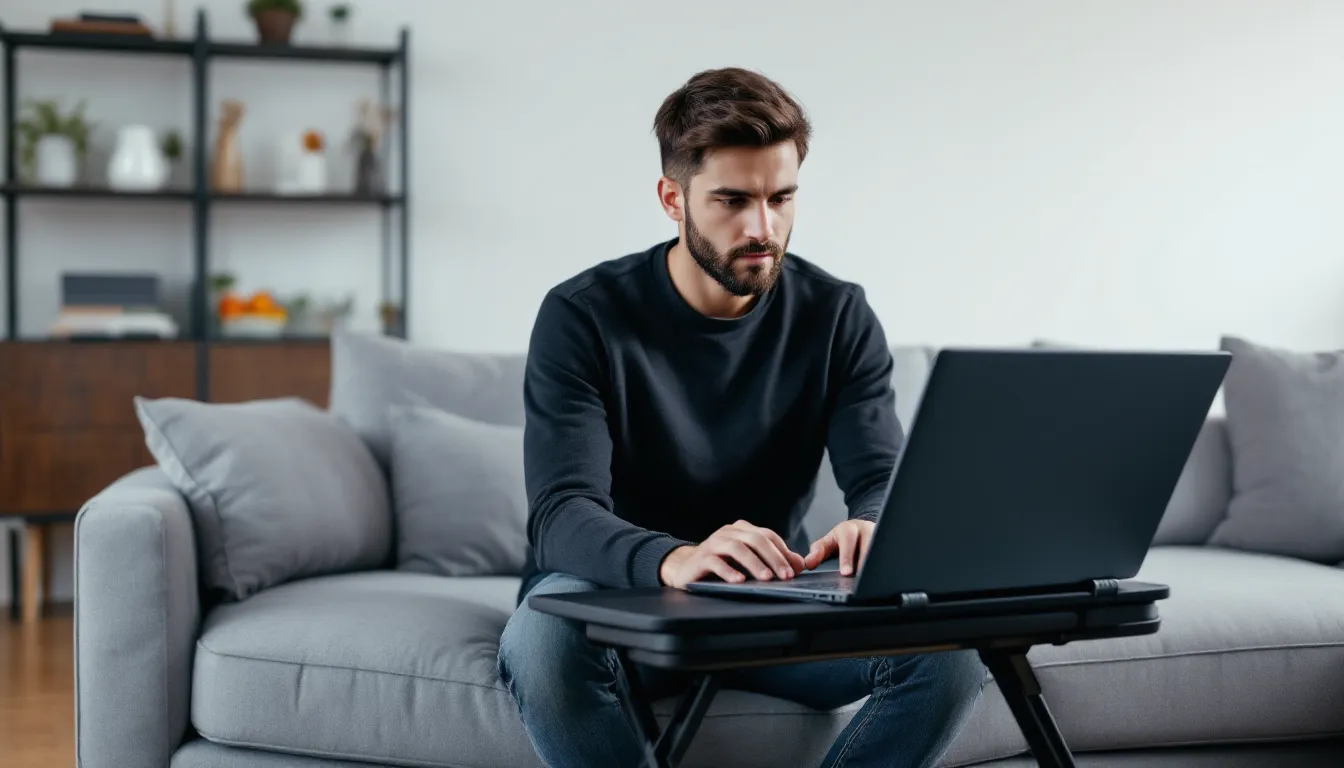

Long gaming sessions shouldn’t come with mandatory back pain and numb legs. But for couch and bed gamers, the struggle is real, balancing a laptop on your knees, propping a controller on a pillow, or hunching over a tablet while your spine slowly turns into a question mark.
Enter the gaming lap desk. Not the flimsy breakfast tray your grandma used, but purpose-built platforms designed for actual gaming workloads. Whether you’re grinding ranked matches on a gaming laptop, streaming from your couch, or running a handheld through a marathon session, the right lap desk can transform comfort and consistency.
This guide covers everything from ventilation systems and ergonomic angles to specific recommendations for different gaming setups. No fluff, just practical specs and what actually matters when you’re trying to clutch a round without your wrists screaming at you.
Key Takeaways
- A gaming lap desk solves heat dissipation and input consistency issues that occur when gaming on couches or beds, preventing thermal throttling and improving mouse tracking precision compared to unstable surfaces.
- Ergonomic features like adjustable tilt angles (15-20°), height adjustment (9-13 inches), and wrist rests significantly reduce neck strain, lower back pain, and repetitive strain injuries during extended gaming sessions.
- Active cooling with USB-powered fans (1-3 fans at 1200-1800 RPM) is essential for high-performance gaming laptops to maintain FPS and prevent performance degradation, while passive cooling works well for handhelds and less demanding devices.
- Choose a gaming lap desk size based on your setup: 18×12 inches minimum for laptop gaming with external mouse, 15×10 inches for console gaming, and lightweight portable models under 3 lbs for handheld devices like Steam Deck or ROG Ally.
- A gaming lap desk provides flexibility and comfort for casual, console, and portable gaming setups, but traditional desks remain superior for competitive FPS, RTS, and MOBA titles requiring maximum stability and multi-monitor support.
- Proper setup positioning, regular cable management, ventilation alignment, and maintenance of cooling fans every month extend your gaming lap desk’s lifespan and ensure consistent thermal and performance benefits over years of use.
What Is a Gaming Lap Desk and Why Every Gamer Needs One
A gaming lap desk is a portable, elevated surface designed to support gaming devices, laptops, controllers, keyboards, mice, or handheld consoles, while sitting on a couch, bed, or recliner. Unlike standard lap desks, gaming-specific models prioritize heat dissipation, stable surfaces for mouse tracking, and ergonomic angles that reduce neck and wrist strain during extended play.
The core problem they solve is simple: gaming devices generate heat, require precision input, and demand hours of your attention. Balancing a laptop directly on your lap traps heat against your legs and the device’s intake vents, throttling performance. Trying to aim with a mouse on a soft couch cushion is a recipe for inconsistent tracking and missed shots. A gaming lap desk creates a stable, breathable platform that addresses both issues.
For competitive players, consistency matters. A wobbly surface or inconsistent mouse pad tension can throw off muscle memory and flick accuracy. For casual players grinding through a campaign or farming resources, comfort over 3-6 hour sessions makes the difference between finishing a playthrough and ragequitting because your lower back gave out.
The use case has expanded significantly in 2026. Remote workers who game after hours, streamers who broadcast from non-traditional setups, and the rise of high-performance handheld PCs like the Steam Deck and ROG Ally have all driven demand for versatile lap desk solutions. They’re not a luxury accessory, they’re a practical tool for anyone who games outside a traditional desk setup.
Key Features to Look for in a Gaming Lap Desk
Ergonomic Design and Comfort
Ergonomics directly impacts how long you can game before discomfort forces a break. Look for models with adjustable height and tilt angles, typically ranging from 0° to 45°. A 15-20° tilt brings the screen closer to eye level, reducing neck strain when gaming on a laptop. Height adjustment (usually 9-13 inches) allows you to find the sweet spot where your wrists remain neutral while using a mouse or controller.
Wrist rests and padded bases matter for longer sessions. Memory foam or gel cushions distribute weight more evenly across your lap and thighs, preventing pressure points. Curved or contoured edges prevent the desk from digging into your wrists during intense gameplay. Some models include detachable wrist pads that you can reposition based on whether you’re using WASD or a controller.
Weight is a trade-off. Heavier desks (5-7 lbs) offer more stability for vigorous mouse movements but can become uncomfortable after an hour. Lighter models (2-4 lbs) sacrifice some stability but won’t pin you down. If you’re playing twitchy FPS titles, prioritize stability. For turn-based strategy or RPGs, lighter options work fine.
Cooling and Ventilation Systems
Gaming laptops can hit 90-95°C under load, and thermal throttling can drop your FPS by 20-30%. A proper gaming lap desk includes active or passive cooling to prevent heat buildup. Active cooling uses built-in fans (usually USB-powered, 1-3 fans at 1200-1800 RPM) that pull hot air away from the laptop’s bottom vents. Passive cooling relies on perforated surfaces, mesh panels, or vented cutouts that allow natural airflow.
Active cooling is essential for high-performance laptops (RTX 4070/4080 models, or AMD Ryzen 9 systems). The fan noise is a consideration, look for models rated at 25-30 dB, which is quiet enough to avoid interfering with game audio. Some desks include fan speed controls or auto-shutoff when the laptop is removed.
Passive cooling works for less demanding setups: ultrabooks, handheld PCs, or consoles that don’t generate as much heat. Mesh surfaces or raised rubber feet (typically 0.5-1 inch elevation) create an air gap that prevents heat transfer to your lap. This approach is silent and doesn’t require external power.
Surface Size and Device Compatibility
Surface dimensions determine what you can actually fit on the desk. Standard gaming lap desks range from 15×11 inches (compact, for 13-15 inch laptops) to 22×14 inches (full-size, accommodating 17-inch laptops plus a separate mouse pad).
If you’re using a laptop plus external mouse, you need at least 18×12 inches of usable space. Measure your laptop’s footprint and add 6-8 inches of width for mouse movement, low-sensitivity FPS players need more room for wide swipes. For reference, many pro player settings use 400-800 DPI with large mousepads, which translates to significant desk real estate.
For console gaming, you’re primarily holding a controller, so surface size matters less. A 15×10 inch desk suffices for a controller, drink, and phone. But if you’re using a wireless keyboard for in-game chat or streaming controls, bump up to at least 18 inches wide.
Handheld gaming (Steam Deck, Nintendo Switch, ROG Ally) requires less surface area but benefits from adjustable viewing angles. Look for desks with tablet/phone holders or slots that keep the device upright at a comfortable viewing angle while your hands hold the device or a separate controller.
Weight capacity is usually 15-25 lbs, which covers even heavy gaming laptops (5-7 lbs) plus peripherals and a drink. Check the specs if you’re using a thicc desktop replacement laptop.
Portability and Storage Options
Portability matters if you move between rooms or travel with your setup. Foldable or collapsible designs reduce footprint for storage. Look for models that fold flat to 2-3 inches thick and include carry handles or straps.
Built-in storage compartments, side pockets, drawer slots, or cable clips, keep peripherals organized. A side pocket for your phone, charging cable, or earbuds prevents clutter on the main surface. Some desks include a cupholder cutout or raised rim to prevent drinks from sliding off during movement.
Leg lock mechanisms should be tool-free and secure. Button-release or snap-lock legs are faster to adjust than screw-tight systems. Wobble is the enemy, test or read reviews for stability when fully extended. Desks with wider leg spans (14+ inches between legs) are more stable than narrow designs.
Best Gaming Lap Desks for Different Gaming Setups
For PC and Laptop Gaming
Laptop gaming demands a stable mouse surface and cooling. Models with dual-fan active cooling and surfaces 20+ inches wide are ideal. Look for desks that support 15-17 inch laptops with room for a full-size mouse pad.
Top picks prioritize:
- Adjustable legs with at least 3 height settings
- Tilt range of 0-30° for screen positioning
- USB-powered dual fans (70mm or larger)
- Non-slip mouse surface (textured or rubberized)
Weight distribution is critical. Heavier gaming laptops (6+ lbs) need desks with reinforced center supports to prevent sagging. Look for aluminum or steel frames under bamboo/MDF surfaces rather than pure plastic.
If you’re using an external keyboard and mouse with a laptop, consider a two-tier design, the laptop sits on an elevated back platform while the front surface holds keyboard and mouse. This mimics a traditional desk setup and improves ergonomics.
For Console Gaming
Console gamers typically use controllers, so the desk’s primary job is comfort and device support. You don’t need massive surface area, but cushioning and stability become more important since you’re making rapid stick and button inputs.
Key features:
- Padded, contoured cushion bottom (memory foam preferred)
- Compact surface (15×11 inches is plenty)
- Built-in controller/phone holder or side pockets
- Optional cupholder or snack tray
Passive cooling is sufficient unless you’re setting a laptop or handheld on the desk between matches. Weight can be lighter (2-3 lbs) since you’re not moving a mouse aggressively. Many console gamers prefer bean bag lap desks or cushioned trays over rigid adjustable models.
If you stream or create content while console gaming, look for desks with a phone/tablet mount arm or slot that holds your device at eye level for monitoring chat or recording.
For Mobile and Handheld Gaming
Handheld gaming devices (Switch, Steam Deck, ROG Ally, Legion Go) benefit from lap desks with integrated device stands or adjustable viewing angles. Since you’re holding the device or using a separate controller, the desk serves as a stabilizing platform and ergonomic angle adjuster.
Prioritize:
- Adjustable tilt (up to 45° for reading/viewing)
- Built-in tablet stand or rubberized grip surface
- Lightweight (under 3 lbs)
- Compact folding design for travel
Some models include a detachable Bluetooth keyboard tray for typing in games or streaming apps. This is especially useful for Steam Deck users who need to navigate desktop mode or chat in MMOs.
For mobile gaming on phones or tablets, look for desks with phone holder clips or magnetic mounts. Passive cooling via mesh or vented surfaces prevents overheating during graphically intensive mobile titles.
How a Gaming Lap Desk Improves Your Gaming Performance
Better Posture and Reduced Strain
Poor posture during gaming leads to neck pain, lower back strain, and wrist fatigue, issues that compound over time and limit how long you can play comfortably. A gaming lap desk corrects posture by elevating the screen closer to eye level and positioning input devices at ergonomic angles.
Neck strain from looking down at a laptop screen for hours can be reduced by tilting the desk 15-25°, bringing the display into your natural line of sight. This prevents the forward head posture that causes tension headaches and upper back pain. For every inch your head leans forward, your neck supports an additional 10 pounds of weight, proper screen height makes a measurable difference.
Wrist positioning matters for both mouse users and controller players. A desk with wrist rests or the right height keeps wrists neutral rather than bent upward or downward, reducing the risk of repetitive strain injuries. Mouse users benefit from a stable surface that allows the entire forearm to rest, reducing reliance on wrist movements alone for aiming.
Lower back support improves when you’re not hunching forward or twisting to find a comfortable position. Lap desks with cushioned bases distribute weight evenly and allow you to sit upright with your back against a couch or chair. This reduces pressure on the lumbar spine compared to balancing a device on your knees and leaning forward.
Enhanced Focus and Precision
Stability directly impacts input accuracy. A wobbly lap desk or uneven surface introduces inconsistency in mouse tracking, stick inputs, and button presses. Gaming lap desks with wide leg stances and rigid surfaces eliminate micro-movements that throw off aim.
Mouse precision improves dramatically on a stable, flat surface compared to a couch cushion or blanket. Optical and laser sensors require consistent tracking distance from the surface, soft or uneven materials cause jitter and acceleration issues. A lap desk with a hard, smooth surface ensures your sensor reads accurately, which is critical for competitive shooters and MOBAs where pixel-perfect clicks matter.
Comfort extends focus. Discomfort, whether from heat, bad posture, or a cramped setup, creates mental distractions that pull attention away from gameplay. Many guides on gaming setup optimization emphasize that physical comfort is foundational to maintaining concentration during long sessions. When you’re not shifting positions every five minutes or adjusting your device, you stay locked in on the game.
Reduced input lag from overheating is another factor. Thermal throttling doesn’t just drop FPS, it can introduce stuttering and frame pacing issues that make timing-based inputs (parries, combos, flick shots) harder to execute consistently. A lap desk with active cooling keeps thermals in check and maintains stable frame delivery.
Gaming Lap Desk vs. Traditional Desk: Which Is Right for You?
The lap desk vs. traditional desk debate comes down to space, flexibility, and gaming style. Neither is universally better, it depends on your living situation and how you prefer to play.
Traditional desks offer unmatched stability, space, and ergonomics for competitive gaming. A full desk setup supports multiple monitors, a mechanical keyboard, a large mouse pad, and a proper gaming chair. Cable management is easier, and you can invest in monitor arms, acoustic treatment, and lighting. If you play competitive FPS, RTS, or MOBA titles where precision and reaction time are critical, a traditional desk is the standard for a reason.
But traditional desks are stationary. You’re locked into one room, one position. If you live in a small apartment, dorm, or shared space, dedicating an entire corner to a desk setup isn’t always practical. And for many gamers, the couch or bed is simply more comfortable for long RPG sessions, single-player campaigns, or laid-back streaming.
Gaming lap desks offer flexibility and comfort for non-competitive or hybrid setups. You can game from the couch, move to the bedroom, or set up on a balcony. They’re ideal for console gamers, handheld PC users, and laptop gamers who don’t need the full battlestation experience. The trade-off is reduced surface area, less stability, and fewer options for multi-monitor or complex peripheral setups.
Consider a hybrid approach: a traditional desk for competitive gaming and content creation, and a lap desk for casual play, streaming, or gaming in different rooms. Many gamers in 2026 use this dual-setup strategy, especially with the rise of powerful handheld PCs that can handle AAA titles portably.
Space constraints often make the decision for you. If you don’t have room for a desk, a lap desk is the next best option. If you’re serious about ranked play or streaming and have the space, invest in a traditional desk first and add a lap desk as a secondary comfort option.
Setting Up Your Gaming Lap Desk for Maximum Efficiency
Optimal Positioning and Angle Adjustment
Start by finding the right height and tilt. Sit in your usual gaming spot, couch, bed, or chair, and place the lap desk on your lap. Adjust the legs so the surface is roughly at elbow height when your arms are relaxed at your sides. This keeps your wrists neutral when using a mouse or controller.
For laptop gaming, tilt the desk 10-20° so the screen is closer to eye level. Your gaze should hit the top third of the screen when looking straight ahead. If you’re looking down more than 15°, increase the tilt or add a laptop stand on top of the desk.
If you’re using an external monitor or TV, the lap desk primarily supports your input devices (keyboard, mouse, controller). In this case, keep the desk flat or at a minimal tilt (0-5°) for maximum stability. Mouse users should prioritize a completely flat surface to avoid the mouse sliding or inconsistent tracking.
Test stability before starting a session. Press down on the front edge of the desk and check for wobble. If the legs flex or the surface shifts, tighten the locking mechanisms or adjust the leg span wider. For mouse-heavy games (FPS, RTS), stability trumps angle adjustment, a flat, rock-solid surface is better than a tilted one that wobbles.
Cable Management and Accessory Organization
Cable clutter is annoying and a trip hazard. Use the built-in cable clips or channels on your lap desk to route power cables, USB hubs, and peripheral cables along the side or back of the desk. If your desk doesn’t include cable management, adhesive cable clips (available for a few bucks) work well.
For USB-powered cooling fans or RGB peripherals, a USB hub mounted to the side of the desk consolidates connections and reduces cable runs back to your laptop or console. Look for hubs with 4+ ports and individual power switches to avoid draining laptop battery.
Keep frequently used items, phone, controller, earbuds, in the desk’s side pockets or storage compartments. This prevents clutter on the main surface and keeps your mouse area clear. If your desk includes a cupholder, actually use it, spilling a drink on a gaming laptop is a $1000+ mistake.
For wireless peripherals, designate a charging spot on or near the desk. Many gamers keep a charging cable plugged into a side USB port specifically for topping off wireless mouse or controller batteries between matches. Some setups from hardware review sites recommend magnetic charging cables for quick connection without fumbling with ports.
If you’re using a headset, route the cable under the desk or along the back edge to prevent it from snagging on the mouse or keyboard. Wireless headsets eliminate this issue but need a charging station nearby.
Common Mistakes to Avoid When Using a Gaming Lap Desk
Overloading the surface is a fast track to instability and potential device damage. Lap desks have weight limits (usually 15-25 lbs), and exceeding them causes sagging or leg failure. A gaming laptop, external keyboard, mouse, and a drink might push the limit on cheaper models. Check the specs and don’t stack heavy books, external drives, or extra monitors on a lap desk unless it’s explicitly rated for the load.
Blocking ventilation defeats the purpose of cooling features. If your lap desk has vented cutouts or fan intakes, don’t cover them with papers, mousepads, or your laptop’s rubber feet positioned directly over the vents. Align your laptop so its intake and exhaust vents have clear airflow paths. Active cooling fans should pull air from below, not suck against a solid surface.
Ignoring posture adjustments negates ergonomic benefits. Just because you have a lap desk doesn’t mean your posture is automatically fixed. Periodically check your neck angle, wrist position, and back support. If you’re still slouching or craning your neck down, adjust the desk height or tilt. Gaming sessions longer than 90 minutes should include posture resets, sit up, roll your shoulders, adjust the desk if needed.
Using inadequate surfaces for mouse gaming is a common mistake. A lap desk without a dedicated mouse area forces you to use a tiny space or uneven surface, wrecking aim consistency. If your desk is too small, either upgrade to a larger model or use a separate mouse pad that overhangs the edge slightly (secured with tape or clips to prevent sliding).
Not securing the desk properly leads to spills and dropped devices. Always engage leg locks fully and test stability before placing your laptop or console on the desk. Don’t assume the desk will stay in position, shifting your legs or leaning forward can cause unlocked legs to collapse. If the desk has a strap or anti-slip bottom, use it.
Skipping breaks because the desk is comfortable. Yes, lap desks improve comfort, but sitting in any position for 3+ hours straight still causes stiffness and circulation issues. Set a timer to stand, stretch, or walk around every 60-90 minutes. Comfort is good: immobility is not.
Maintenance and Care Tips for Long-Lasting Use
Clean the surface regularly to prevent buildup of dust, oils, and debris. Use a microfiber cloth and isopropyl alcohol (70%) for hard surfaces like bamboo, MDF, or plastic. Avoid harsh chemicals that can damage finishes or coatings. For mesh or fabric surfaces, vacuum with a brush attachment or wipe with a damp cloth.
Inspect and clean cooling fans monthly if your desk has active cooling. Dust accumulation reduces airflow and fan efficiency, leading to overheating and increased noise. Turn off and unplug the desk, then use compressed air to blow dust out of the fan grills. Some models have removable fan covers for easier cleaning.
Check leg joints and locking mechanisms every few weeks. Repeated adjustments can loosen screws or wear down plastic locks. Tighten any loose screws with a screwdriver and replace worn lock buttons if they no longer hold firmly. Metal-on-plastic joints can benefit from a small amount of dry lubricant (like PTFE spray) to reduce friction and wear.
Protect the cushion or bottom padding from spills and stains. If your desk has a removable cushion cover, wash it according to manufacturer instructions (usually cold water, air dry). For non-removable cushions, spot-clean with mild detergent and water. Let it dry completely before use to prevent mold or odors.
Store properly when not in use. If you fold and store your lap desk, keep it in a dry area away from direct sunlight or extreme temperatures. Prolonged heat exposure can warp wood or plastic surfaces, and UV light can fade or crack materials. If stacking items on top of a stored desk, ensure the weight doesn’t bend or stress the legs.
Replace worn parts before they fail. Cooling fans, cushion foam, and rubber grips wear out over time. Many manufacturers sell replacement parts (fans, cushions, leg locks). Replacing a $10 fan is cheaper than buying a new desk or dealing with an overheated laptop. Keep an eye on warranty terms, some desks offer 1-2 year coverage on structural components.
Cable and accessory maintenance matters too. Frayed USB cables for cooling fans or lights can cause shorts or failures. Inspect cables every few months and replace damaged ones immediately. If your desk has built-in USB hubs or ports, test them periodically to ensure they’re delivering consistent power.
Conclusion
Gaming lap desks have evolved from simple TV trays into purpose-built performance tools. The right model delivers measurable improvements in comfort, thermal management, and input consistency, whether you’re grinding ranked matches on a laptop, streaming from a couch setup, or running a handheld through a weekend marathon.
Prioritize the features that match your actual gaming habits. Competitive laptop gamers need stability and cooling. Console players want comfort and compact storage. Handheld users benefit from adjustable angles and portability. Skip the generic models designed for breakfast in bed and invest in a desk built for the thermal and ergonomic demands of real gaming.
Setup and maintenance are just as important as the initial purchase. Proper positioning, cable management, and regular cleaning extend the life of your desk and keep performance consistent. Avoid the common mistakes, overloading, blocking vents, and ignoring posture, and you’ll get years of use.
If you’re still gaming with a laptop balanced on your knees or a controller propped on a pillow, you’re leaving comfort and performance on the table. A quality gaming lap desk isn’t flashy, but it’s one of the highest ROI upgrades you can make for a non-desk gaming setup.