
Background gaming has become the not-so-secret weapon for modern gamers who can’t quite abandon their favorite titles during work hours. It’s the art of keeping a game running in another window, tab, or device while handling emails, Zoom calls, or spreadsheet hell. Whether it’s an idle game slowly accumulating resources or an MMO grinding XP while you’re grinding through your actual job, background gaming lets players maintain progression without constant attention.
The practice has evolved from simple browser games into a sophisticated ecosystem spanning PC, mobile, and even console platforms. With remote work solidifying its place in 2026 and game developers designing experiences specifically for partial attention, background gaming has shifted from guilty pleasure to legitimate playstyle. This guide breaks down everything from the best game genres for secondary screen action to the technical setup that keeps both your productivity and frame rates smooth.
Key Takeaways
- Background gaming involves playing games with minimal active input while handling work or other tasks, utilizing automation, slow progression systems, and turn-based mechanics designed for fragmented attention.
- Idle games, turn-based strategy titles, MMORPGs with auto-play features, and city builders are the best game genres for background gaming in 2026.
- Dual monitors, proper window management, per-application audio controls, and frame rate limiting are essential for optimizing your system setup for background gaming without compromising productivity.
- Background gaming works best during low-intensity work tasks involving waiting periods, but can harm output during deep focus work that requires sustained concentration.
- The healthiest approach treats background gaming as a superior alternative to social media scrolling, with honest tracking of productivity metrics to ensure gaming stays truly in the background.
- Future background gaming will be shaped by AI-driven automation, asynchronous-first game design, cloud gaming services, and cross-platform save synchronization across devices.
What Is Background Gaming?
Background gaming refers to playing video games that require minimal active input while simultaneously performing other tasks, usually work, studying, or content consumption. Unlike traditional gaming that demands full attention and quick reflexes, background gaming leverages titles designed for passive progression or intermittent interaction.
The concept relies on three core mechanics: automation, slow progression systems, or turn-based gameplay that doesn’t penalize players for delayed responses. A player might check in every 15 minutes to make a decision, upgrade a building, or collect accumulated rewards, then return to their primary task.
This isn’t the same as AFK farming, though there’s overlap. AFK (away from keyboard) typically implies exploiting game mechanics or using macros to simulate presence. Background gaming, by contrast, involves games intentionally designed for fragmented attention. Developers build these experiences with timers, auto-battle systems, and offline progression specifically to accommodate players who can’t dedicate continuous focus.
The practice works best on PC with dual monitors or on mobile devices that sit adjacent to a primary workstation. Console background gaming exists but faces hardware limitations since most consoles don’t support true multitasking across applications the way PCs and smartphones do.
Why Background Gaming Has Exploded in Popularity
The Rise of Idle and Incremental Games
The idle game genre legitimized background gaming as a design philosophy rather than an accident. Titles like Cookie Clicker proved in the early 2010s that players would engage with games requiring almost zero active input. By 2026, the genre has matured into complex systems with prestige mechanics, meta-progression, and narrative layers.
Modern idle games incorporate RPG elements, crafting systems, and even competitive leaderboards. Players no longer just watch numbers go up, they optimize build orders, calculate efficiency curves, and strategize around prestige timing. The genre’s growth has pushed mainstream developers to add idle-friendly modes to existing franchises, blurring the line between “real” games and background-friendly experiences.
Mobile platforms accelerated this trend. App stores realized idle games had incredible retention metrics since players could check in during commutes, bathroom breaks, or between meetings. The monetization model aligns perfectly: players pay to speed up timers or boost passive income, creating revenue without demanding the player’s full day.
Multitasking Culture and Remote Work
Remote work didn’t just change where people work, it changed how they structure attention. With no manager physically watching screens and Slack replacing cubicle conversations, workers gained autonomy over their attention fragmentation. A second monitor became standard equipment, and that second monitor often housed a game.
The psychological appeal is straightforward: work tasks involve periods of waiting. Waiting for code to compile, for renders to finish, for email responses, for meetings to start. Background games fill those micro-gaps without the commitment required by traditional titles. A player can’t exactly pause a ranked League of Legends match when a coworker messages, but they can absolutely ignore a city builder for three minutes.
The trend correlates with broader shifts in how younger workers view productivity. The 40-hour grind feels increasingly arbitrary when output matters more than hours logged. If someone finishes their deliverables while also managing a virtual farm, does it matter? For many remote workers, background gaming represents a small act of reclaiming agency over their time.
Best Types of Games for Background Gaming
Idle and Incremental Games
Idle games are the obvious champions of background gaming. These titles progress even when closed, rewarding players for returning periodically to make upgrade decisions and prestige when growth curves flatten.
Key characteristics that make idle games perfect for background play:
- Offline progression: Resources accumulate whether the game is open or not
- Decision points, not reaction tests: Gameplay involves strategic choices made at your own pace
- Clear upgrade paths: Players always know what to work toward next
- Prestige systems: Meta-progression keeps long-term engagement without requiring constant attention
Popular 2026 examples include Realm Grinder, Melvor Idle (the RuneScape-inspired incremental), and NGU Idle. These games can run in browser tabs or as lightweight desktop applications, making them ideal secondary-screen companions.
Turn-Based Strategy Games
Turn-based strategy (TBS) games eliminate time pressure entirely. Whether it’s Civilization VI, XCOM 2, or Into the Breach, players can take minutes between moves without penalty. This makes TBS titles excellent for work-from-home scenarios where interruptions are constant but predictable.
The advantage over real-time strategy is obvious: no one’s base gets rushed while you’re in a meeting. A turn waits indefinitely. Some players keep a Civ VI campaign running across entire work weeks, taking a turn or two between tasks. The deep strategic thinking actually complements analytical work, some developers report using TBS games as active breaks that keep their problem-solving brain engaged without context-switching costs.
Asynchronous multiplayer TBS games like Polytopia on mobile push this further. Players take turns across hours or days, receiving notifications when it’s their move. It’s background gaming stretched across time rather than screens.
MMORPGs with Auto-Play Features
MMORPGs traditionally demanded hours of active grinding, but mobile MMOs changed that calculation. Titles like Black Desert Mobile, Lineage 2M, and MIR4 include auto-battle systems that handle combat, pathfinding, and quest completion with minimal input.
Players set parameters, which skills to use, when to use potions, targeting priorities, then let the game run. This works particularly well for grinding sessions where the goal is XP or material farming rather than challenging content. Many players will auto-battle on mobile devices throughout the workday, checking in to manage inventory or redirect to new farming spots.
PC MMOs have adopted similar features. Final Fantasy XIV doesn’t have official auto-play, but crafting macros let players queue up dozens of items then walk away. EVE Online has always been background-gaming friendly thanks to long travel times and passive skill training that continues while logged out.
The controversial aspect: some consider auto-play an admission that the core gameplay loop isn’t engaging. Others argue it respects player time by letting them skip repetitive content. Either way, it’s a primary driver of background gaming in 2026.
Resource Management and City Builders
City builders and resource management games operate on timers that naturally accommodate intermittent attention. Games like Factorio, Satisfactory, Cities: Skylines, and Oxygen Not Included involve setting up systems that run semi-autonomously while players periodically check metrics and make adjustments.
In Factorio, a player might design a new production line, start it running, then tab back to work while resources accumulate. Fifteen minutes later, they check if throughput matches expectations or if bottlenecks appeared. The game essentially becomes a long-running optimization puzzle where active intervention happens in bursts.
Mobile city builders like SimCity BuildIt or Township use energy/timer systems that literally prevent continuous play. Players complete available actions, then wait for timers to refresh, a perfect match for background gaming’s fragmented attention model. Recent gaming hardware developments have made running these resource-intensive simulations on secondary screens more feasible without impacting primary work performance.
Top Background Games to Play in 2026
PC Background Gaming Picks
Melvor Idle remains the gold standard for PC idle gaming in 2026. This browser-based RuneScape-inspired incremental features every skill from the classic MMO reimagined as idle mechanics. Combat happens automatically with loadout optimization mattering more than player input. Offline progression is generous, and the depth keeps players engaged for months. It runs in a browser tab with negligible resource usage.
Cookie Clicker has evolved far beyond its meme origins. The 2025 update added a roguelite minigame and seasonal events that refresh the meta. It’s still the purest expression of the incremental genre and requires maybe 30 seconds of attention per hour once you’ve set up your production chain.
Factorio on peaceful mode removes combat pressure and turns the game into pure logistics optimization. Players can design factory sections, start production, then monitor efficiency while working. The satisfaction of returning to find chests full of processed materials rivals active gameplay.
Old School RuneScape has embraced its status as the ultimate background MMO. Skills like Woodcutting, Fishing, and Mining require clicking every few minutes at most. The mobile client syncs with PC, letting players skill while commuting then continue on desktop at home. Many players have maxed accounts largely through background grinding.
Crusader Kings III runs smoothly at slower game speeds. At speed 2, time passes slow enough that players can handle emails between events requiring decisions. The game pauses automatically when choices appear, making it interruption-friendly.
Mobile Background Gaming Picks
AFK Arena literally has “AFK” in the title. This mobile RPG progresses offline, with players logging in to collect rewards, adjust formations, and push new stages. The game respects player time by removing grind in favor of strategic team-building. Progression is time-gated rather than attention-gated.
Legends of Idleon brings MMO progression to an idle framework. Multiple characters can be managed, each auto-battling in different zones. The game has surprising depth with crafting, guilds, and weekly events, but requires only a few check-ins daily to maintain optimal progression.
Stardew Valley on mobile might seem like an odd choice, but the turn-based nature of its day cycle makes it background-friendly. Players can complete a game day in 15-20 minutes, making it perfect for extended breaks. The lack of fail states means stepping away mid-day has zero consequences.
Game Dev Tycoon and Mini Metro both fit mobile background gaming well. The former lets players build game development empires with frequent but brief decision points. The latter is a minimalist transit puzzle that can be played in 5-minute bursts between other tasks.
Summoners War continues to dominate the auto-battle RPG space. Its rune system and team composition depth keep veterans engaged while auto-battle handles the actual combat. Dungeon farming can happen while the phone sits face-down on a desk.
Console Options for Background Play
Console background gaming faces technical limitations since PlayStation 5 and Xbox Series X don’t support true multitasking. But, some titles work with the Quick Resume feature on Xbox or by using Remote Play to stream to a secondary device.
Hades II and other roguelites on PlayStation 5 can use the console’s suspend feature to pause mid-run for hours, though this isn’t true background play. Players working near their TV can keep the game visible and jump in for a room or two between work tasks.
Dragon Quest Builders 2 on Switch works well for background gaming due to the console’s portability and sleep mode. Players can build for 10 minutes, put the Switch to sleep, then resume instantly hours later without losing progress. Similar options over on Arcadeclashzone offer different approaches to maintaining gaming engagement alongside other activities.
No Man’s Sky on any console can function as background gaming during exploration phases. Set a course to a distant system, let the autopilot run, and check back when you arrive. It’s not efficient, but it scratches the exploration itch without demanding constant input.
How to Set Up Your System for Optimal Background Gaming
Display Configuration and Window Management
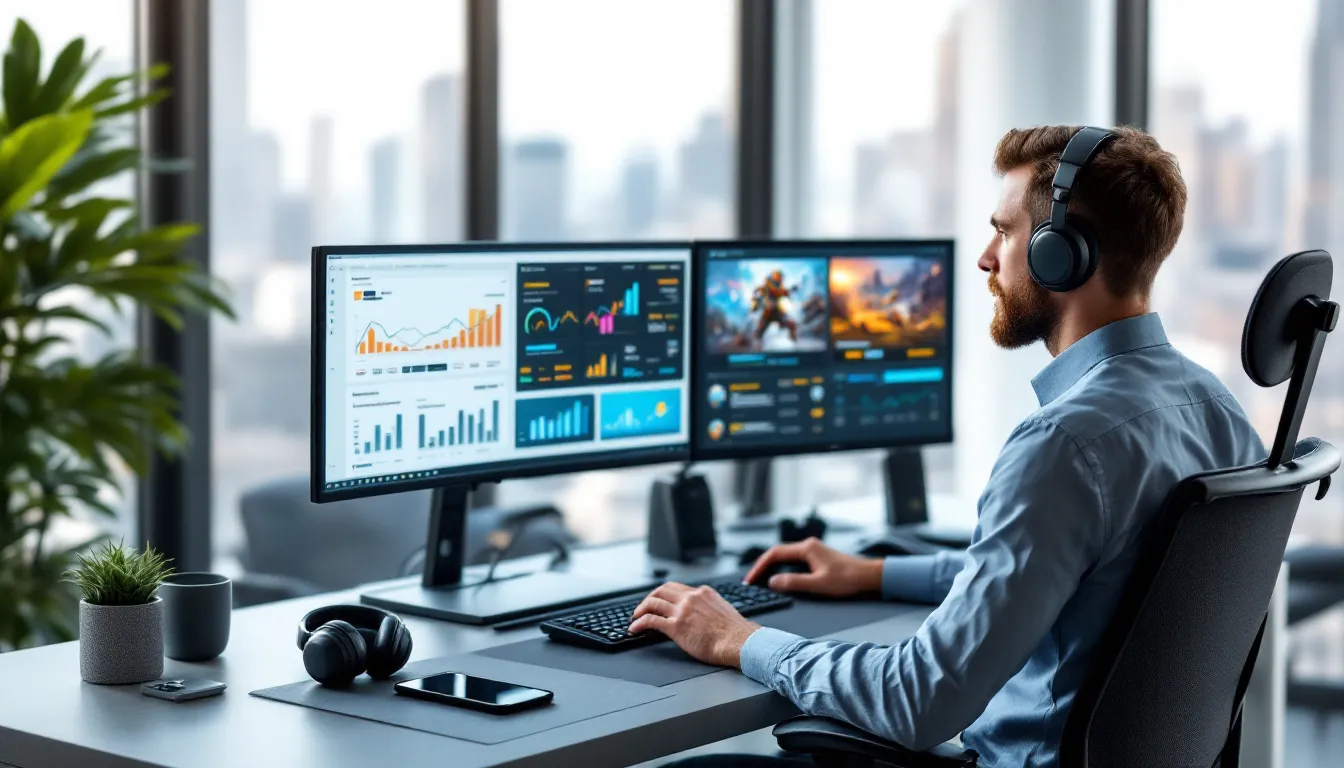
Dual monitors are the baseline for serious PC background gaming. The primary display handles work applications while the secondary runs games. For maximum efficiency, position the game monitor slightly off-center or at an angle where it’s visible with minimal head movement but not directly in the main field of view.
Window management tools like DisplayFusion or Windows 11’s built-in Snap Layouts help organize screen real estate. Key configurations:
- Borderless windowed mode for games allows instant alt-tabbing without the delay of fullscreen transitions
- Always-on-top utilities keep game windows visible even when focus shifts to work applications
- Picture-in-picture browser extensions let idle games run in small overlays on the primary monitor if desk space limits a second screen
For single-monitor setups, virtual desktops (Windows 11 or macOS Spaces) let players swipe between work and gaming environments. Not as seamless as dual screens, but functional.
Ultrawide monitors (21:9 or 32:9 aspect ratios) can be split using Windows PowerToys’ FancyZones, treating one physical display as two logical screens. A 32:9 monitor effectively becomes a work screen and a gaming screen without bezels or multiple cables.
Audio Settings and Sound Prioritization
Audio management makes or breaks background gaming. No one wants game sound effects blasting during a client call. Modern solutions include:
Windows Volume Mixer (Win + G to access Game Bar, then Audio settings) allows per-application volume control. Set work apps to 100%, background game to 15-20%, and music/YouTube to 50%. This creates audio layering where critical sounds (meeting notifications, message pings) cut through game audio.
Sound output separation is possible on Windows 10+ by assigning different applications to different output devices. If you have both speakers and headphones connected, route work audio to headphones and game audio to speakers at low volume. This way, removing headphones silences work sounds but keeps ambient game audio audible.
Many background gamers mute game audio entirely and rely on visual notifications. Idle games typically have minimal audio feedback anyway. For MMOs with auto-battle, enable only critical sound effects (health warnings, loot drops) while muting music and ambient noise.
Audio ducking in Windows automatically lowers application volume when system sounds play. Enable this in Sound Control Panel > Communications tab. When a Teams call starts, game audio automatically reduces to 20% of set volume.
Performance Optimization to Prevent Lag
Background games competing for system resources with work applications can cause lag in both. Optimization strategies based on testing from sources like DSOGaming:
Frame rate limiting is crucial. There’s zero reason for an idle game to run at 144 FPS. Use in-game settings or NVIDIA Control Panel / AMD Radeon Software to cap background games at 30 FPS. This massively reduces GPU load and heat generation.
Process priority adjustment through Task Manager lets you allocate CPU cycles strategically. Set work applications (especially video conferencing) to High priority and background games to Below Normal. This ensures Zoom doesn’t stutter when a game hits a loading screen.
RAM allocation matters for browser-based idle games. Chrome can devour RAM with multiple game tabs open. Use Edge or Firefox with tab suspension features that unload inactive tabs from memory. Extensions like The Great Suspender automatically hibernate tabs after set periods.
GPU switching on laptops with dual graphics (integrated Intel + discrete NVIDIA/AMD) should route background games through integrated graphics while work applications use the discrete GPU. This is backwards from typical gaming but makes sense when the “game” is a lightweight idle title and work involves video editing or 3D modeling.
Monitor system performance with MSI Afterburner or HWiNFO. If CPU temps exceed 75°C or GPU usage stays above 40% while background gaming, further optimization is needed. Most idle and incremental games should idle below 10% GPU usage when properly configured.
Productivity vs. Play: Finding the Right Balance
The productivity debate around background gaming splits into two camps: those who see it as a sustainable way to maintain gaming engagement alongside responsibilities, and those who view it as self-sabotage disguised as multitasking.
Research on attention fragmentation suggests that even minimal task-switching creates cognitive load. Checking a game every 10 minutes interrupts flow states that drive deep work. For tasks requiring sustained concentration, writing, coding, design work, background gaming probably reduces overall output quality even if tasks still get completed.
But, not all work demands deep focus. Email management, data entry, monitoring dashboards, attending low-stakes meetings, these tasks involve waiting periods where attention naturally fragments anyway. Background gaming during these activities arguably improves mood and reduces burnout compared to staring at Slack waiting for something to happen.
The key is honest self-assessment. Track productivity metrics (tasks completed, code commits, documents finished) during weeks with and without background gaming. If output remains consistent and you’re happier during gaming weeks, the practice is sustainable. If deadlines slip or quality drops, it’s distraction masquerading as multitasking.
Set boundaries that preserve work integrity:
- No background gaming during deep work blocks: Use techniques like Pomodoro (25 minutes focused work, 5-minute game check) rather than constant partial attention
- Choose games that match task intensity: Idle games during focus work, turn-based strategy during routine tasks, nothing during critical deadlines
- Disable notifications: Game notifications compete with work notifications for attention: turn them off
- Track game time honestly: Most operating systems and game clients track usage: review weekly to ensure gaming stays “background” rather than becoming primary
The healthiest approach treats background gaming as a superior alternative to other common work distractions (social media scrolling, news browsing, YouTube rabbit holes) rather than as a replacement for actual breaks. Gaming between tasks beats doom-scrolling Twitter, but neither substitutes for standing up, stretching, and resting your eyes.
Common Mistakes to Avoid When Background Gaming
Choosing the wrong game genre kills productivity faster than not gaming at all. Competitive multiplayer, battle royales, and any game with match timers create pressure that bleeds into work tasks. A Fortnite match can’t be paused: a city builder can. Respect the difference.
Overestimating multitasking ability is universal. Everyone thinks they’re the exception who can truly parallel-process. Most people can’t. If you find yourself rewinding meetings because you missed key points or making careless errors in work deliverables, the background gaming probably needs reduction regardless of how manageable it feels.
Neglecting work communication because of game timing creates professional risk. Missing a manager’s Slack message because you were optimizing a production chain in Factorio looks terrible and is entirely avoidable with proper notification prioritization. Work notifications should always override game notifications.
Running resource-intensive games on work hardware can cause performance issues during critical moments. If your system chugs when you share screen in a meeting because Cities: Skylines is maxing your GPU in the background, that’s a problem. Stick to lightweight idle games during work hours: save the demanding titles for after-hours. Guides from sites like How-To Geek often cover optimization techniques for running lightweight games alongside productivity software.
Ignoring company policies around personal software on work devices is risky. Some employers monitor application usage or prohibit non-work software. Remote work provides freedom, but that freedom isn’t unlimited. Check acceptable use policies before installing games on company laptops.
Letting background gaming replace actual gaming is the saddest outcome. If the only gaming you do is partial-attention idle games during work, you’re missing the experiences that make gaming worthwhile. Background gaming should supplement, not replace, dedicated gaming time where you fully engage with challenging, rewarding titles.
Poor posture and setup ergonomics compound when attention splits between screens. Constantly glancing at a poorly positioned second monitor strains neck muscles. If background gaming causes physical discomfort, the display configuration needs adjustment. The game screen should require minimal head movement to view.
Addiction to incremental progression can make stepping away difficult. Idle games are specifically designed to trigger “just one more upgrade” impulses. Set strict check-in schedules (every 30 minutes, not every 3 minutes) and stick to them. If you’re checking the game more often than necessary for optimal progression, it’s become a distraction rather than a background activity.
The Future of Background Gaming
Emerging Technologies and Game Design Trends
Game developers have recognized background gaming as a legitimate audience segment. Expect more titles with hybrid attention modes, games that can be played actively with full engagement or passively as background activities. Hades director Amir Rao mentioned in a 2025 interview that future Supergiant titles might include “contemplation modes” where action pauses between rooms, letting players step away without penalty.
AI-driven automation is the next evolution of auto-battle systems. Rather than simple scripting, games will use machine learning to mimic player behavior. An AI could learn your combat style in an MMO and replicate it during grinding sessions, creating background progression that feels authentic rather than robotic. This technology already exists in research contexts: commercial implementation likely arrives in 2027-2028.
Async-first game design is growing. More developers are building experiences around the assumption players will engage in fragments across days or weeks. Sea of Thieves added asynchronous world events: Destiny 2 experiments with mobile companion apps that let players manage inventory and bounties between sessions. This trend will accelerate as player time becomes increasingly fragmented.
Smartwatch and wearable integration could bring background gaming to new contexts. Imagine checking resource timers via smartwatch notifications or making simple upgrade decisions through wearable interfaces. Some mobile games already experiment with this: expect deeper integration as wearable tech matures.
Cloud Gaming and Cross-Platform Opportunities
Cloud gaming services like Xbox Cloud Gaming, GeForce NOW, and PlayStation Plus Premium eliminate hardware barriers for background gaming. A player could stream a resource-light game to a tablet sitting beside their work laptop, freeing up the PC entirely for work applications. Latency doesn’t matter for turn-based or idle games, making cloud streaming ideal for this use case.
Cross-platform save synchronization means background gaming can happen across devices throughout the day. Grind on mobile during the commute, continue on PC during work, then push endgame content on console in the evening. Games like Genshin Impact and Fortnite already offer this: it’ll become table stakes for live-service titles.
Progressive Web Apps (PWAs) are reviving browser-based gaming with offline functionality and native-like performance. Idle games as PWAs can run in minimal browser windows with better resource management than traditional web games. They also enable installation to desktops without app stores, removing friction.
The background gaming audience will likely drive demand for cross-save as a standard feature. Players who invest hours through fragmented sessions across multiple devices won’t tolerate platform lock-in. Expect this to pressure holdouts like Nintendo to open their ecosystems or lose market share to more flexible competitors.
5G and edge computing could enable cloud-rendered graphics for even lightweight devices. A phone could display AAA-quality visuals streamed from edge servers with millisecond latency, making high-production background games viable on hardware that couldn’t natively run them. This removes the technical ceiling on what constitutes a “background-friendly” game, it’s not about graphical fidelity but about gameplay pacing and design.
Conclusion
Background gaming has evolved from a guilty pleasure into a distinct playstyle supported by game design, hardware capabilities, and cultural shifts around work. It’s not for everyone, some people need complete separation between gaming and productivity, and that’s valid. But for those who can balance both, it offers a way to maintain gaming engagement during life phases where dedicated playtime is scarce.
The key is intentionality. Choose games that genuinely complement rather than compete with work tasks. Configure systems to prioritize productivity while allowing gaming to fill attention gaps. Most importantly, be honest about whether background gaming actually enhances your day or just fragments attention without meaningful benefit.
As remote work persists and game developers continue designing for fragmented attention, background gaming will become more accessible and socially accepted. The line between “serious” gaming and casual play continues to blur. If it lets you keep progressing in games you love while handling adult responsibilities, the practice has value regardless of purist objections.